HUAWEI Y530-u00 Fastboot & Rescue Mode Phone


HUAWEI Y530-u00 Fastboot & Rescue Mode Phone
Dear Visitor ,Welcome to all mobile tips here you will find All Type Android Solution. Today we will teach you how to bypass Frp lock (Google account Security) on Itel L6006. If You Are Now Facing FRP Lock After Doing Hard Reset or Factory Reset Then Don’t Worry in this method no need any box dongle or flash file. we made frp file for your android device just use tools and frp reset file.
{Factory Reset Protection} is a new security from google since they release android lollipop or above android version like android 6.0 Marshmallow , 7.0 Nougat, 8.0 Oreo And 9.0 Pie. and this lock will be active on your device when your first time sign a google account on your android device
After Setup Google Account in your device if your Itel L6006 doing format or factory reset then it will be shown first start up link (This device was reset, to continue to sign in with a google account that was previously synced on this device) that mean’s your device is locked by frp. and it will be unlock only using previous google account.
No Need Any Professional Dongle or Flashing DongleNo Need Any FRP Bypass APK No Need Google Account ManagerNo Need QuickShortcutMaker ApkWithout Flash File Stock RomNo Need Long Time waste Bypass TimeNo Need Any Dead RiskWithout Any IMEI Damage Risk And This FRP File Support All Version Of Itel L6006
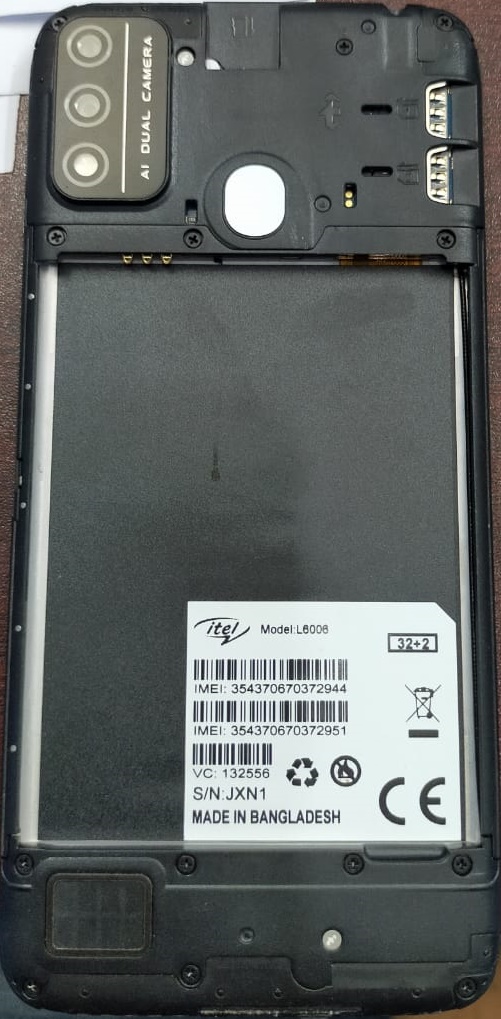
13MB FRP Reset File Only Spd CPU

VSUN CAPTURE FLASH FILE MT6582 FIRMWARE 5.0 100%TESTED
Vsun Capture Firmware Flash File MT6582 5.0 Stock Rom
MT6582__Vsun__Capture__Capture__5.0__ALPS.L0.MP2.V1_VSUN6582.WT.L_P10

Vsun Capture Firmware Rom File
Vsun Capture Stock Firmware Rom
MT6582__Vsun__Capture__Capture__5.0__ALPS.L0.MP2.V1_VSUN6582.WT.L_P10
01746858990
Boot Ok!
Reading Flash Content now …
Brand : Vsun
ProdName : Capture
ProdModel : Capture
Device : Capture
AndroidVer: 5.0
MTKxCPU : MT6582
MTKxPRJ : ALPS.L0.MP2.V1_VSUN6582.WT.L_P10
[Read Ok] : preloader_vsun6582_wt_l.bin
[Read Ok] : MBR
[Read Ok] : EBR1
[Read Ok] : lk.bin
[Read Ok] : boot.img
[Read Ok] : recovery.img
[Read Ok] : secro.img
[Read Ok] : logo.bin
[Read Ok] : EBR2
[Read Ok] : system.img
[Read Ok] : cache.img
[Read Ok] : userdata.img
[ScatCFG] : MT6582 / V1.1.1 / vsun6582_wt_l / EMMC
Android Info saved
MAUI Meta DB saved
HWConfig Info saved
FW Size : 1655 MiB
Scatter saved to : C:\cm2re\MT6582__Vsun__Capture__Capture__5.0__ALPS.L0.MP2.V1_VSUN6582.WT.L_P10\
All done!
Welcome to all mobile tips. here you will found Symphony V96 Firmware Flash File Stock Rom With Flash Tools Drivers And Flashing Manual. install this Firmware Will Be Fixed Your Any Kind Of Software Issue. This All Device running Mediatek Processor. So you need To Flash With MTK Smart Phone Flash Tool And USB Drivers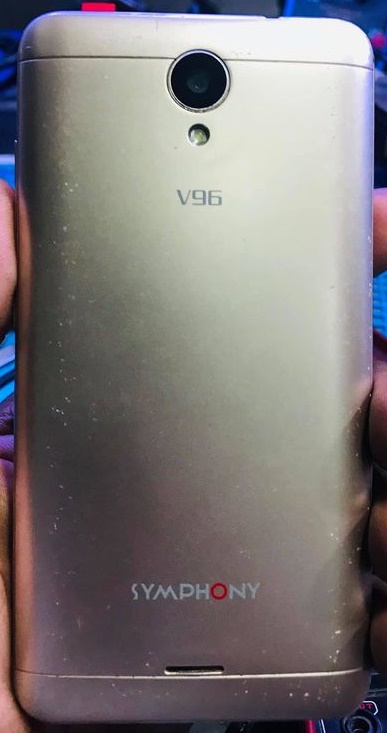
suddenly your Symphony V96 is crash with virus or hanging problem or bootloop,hang logo,restart problem then you need to flash firmware to fix your device. hard reset not working and doesn’t enter recovery or any kind of software issue then you need to must install stock firmware for repair you smart phone. a Smart Phone’s not working good properly without a good firmware. so android firmware program is a part of life smart phone
Flashing Before Any MTK Based Smart Phone On your PC. You Need to Install First Mediatek USB Driver Then Process Installing Firmware. Without Driver Your Smart Phone Will Not Detect Boot To Your Computer . So Download MTK USB Driver And Install Them Your PC
Symphony V96 Android Smartphone Running with Mediatek Chipset. So you Need MTK Smart Phone Flash Tool For This Device And This tool a free application for flashing Mtk device. this tools developed by mediatek company to improve their Mtk based smart phone. and also their user can use this tools using by upgrade firmware flash stock rom. you need scatter stock firmware and Mtk usb driver and some basic knowledge about how to flash with sp flash tool. check this article
| Brand Name : | Symphony |
| Device Model : | V96 |
| Android OS : | 8.1 |
| Driver : | MTK Android USB Driver |
| Tools : | MTK Flash Tool |
| File Source : | Official |
| File Size : | 542MB |
| CPU : | MT6580 |
| File Status : | Premium File Buyers Only |
 |
call=01746858990 dawnloud link= https://drive.google.com/file/d/1Tc7YPnKP4TTonpyRqB6okcJowbT_ql5n/view?usp=sharing |

Thank you for visiting our site. Looking at the title, you will understand that today we will share how to download and install the Gtouch G2 Plus flash file. Friends, it looks like you are using the Gtouch G2 Plus handset. Even if your handset is facing any software problem and you want to install Flash or firmware on your handset. But you don’t have to worry. Today we will help you to install Flash or firmware on Gtouch G2 Plus handset. For this you need to follow the completed guide carefully.
Let me say one thing first: Your handset will be updated as soon as you install the Gtouch G2 Plus firmware. And installing the Gtouch G2 Plus firmware will erase all data, including the contents of your phone’s internal storage. So you should back up all your data before installing the firmware. Friends, we have divided the guide into several steps. You read it kindly and follow the completed guide.
Stock ROMs always come by default for each smartphone. Smartphone OEMs do not offer a plethora of customizations or options to adjust your device to a stock ROM. So, if users update their devices properly, they perform better year after year along with stock ROMs. Custom ROMs on the other hand provide lots of customizations that look great but lack stability or protection. So we suggest you install the official stock rom to get the most out of it.
You do not need any permission to download Gtouch G2 Plus Flash file from our site. We have been proud to provide Flash File / Stock ROM / Firmware / Custom ROM on our site for a long time. We test each file on our site before uploading it. So you can use any file on our site without any hesitation. The button below has the download link of the Gtouch G2 Plus flash file. As soon as you press the button, the file will start downloading. You will also find the Flash Tool and usb driver download link for flashing the smartphone here. And you also need to download the flash tool and usb driver.
Google or Frp account lock remove. Hang on Logo, Lcd blinking (black or white) problem solve. Suddenly auto restart, Unbrick Bootloop problem solve. Camera apps error, Unknown baseband problem solve. Dead recovery, Slow working, Storage full problem solve. Sexy virous, Monkey virous, unfortunately app has been stopped problem solve. Recover from dying after flash with wrong file. Automatically data or wifi on off problem solve. File missing, automatically the Install application problem solved. Remove password lock, Pattern lock, Screen lock, Pin lock, Privacy lock and etc.
| Rom Name | Gtouch G2 Plus Firmware |
| Based On | Gtouch Stock ROM OS |
| Rom OS Version | Android 8.1 (Oreo) |
| Rom Size | 550MB |
| Rom Type | Cm2 Readed |
| Phone Chipset | Spreadtrum |
| Tools Supported | ResearchDownload Tool |
| Compress | Rar Format |
| Drivers Supported | Spreadtrum Usb Driver |
| Uploaded | Google Drive |
| Rom condition | Only Paid service |

This Flash File Collection From New Gtouch G2 Plus Mobile Phone.
Need Cm2 Dongle Or Box Latest Update For Flashing
call=01746858990
dawnloud link=https://drive.google.com/file/d/1UqXFAR8YG2qJnsiimYM2rcbDUPdJ9BIn/view?usp=sharing

